


QuickMD - Online Healthcare
4.81.26K Reviews
App Specs
- Version
- 24.1263.232547
- Updated On
- License
- Free
- Downloads
- 100,000+
- Developer
- QuickMD - A Telemedicine Urgent Care Service
- Categories
- Medical
- Platform
- Android
Screenshots
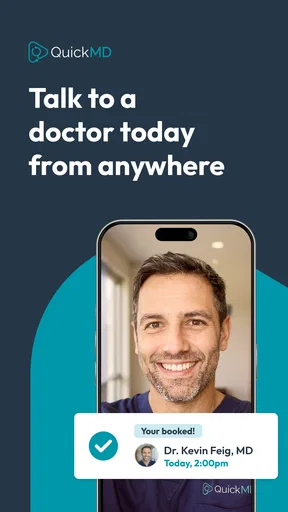
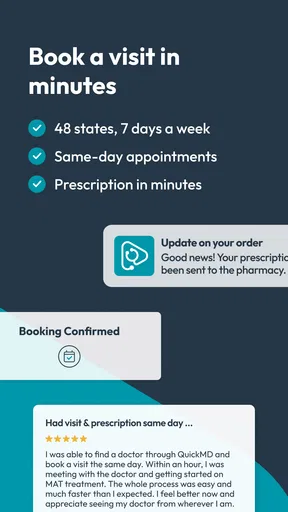
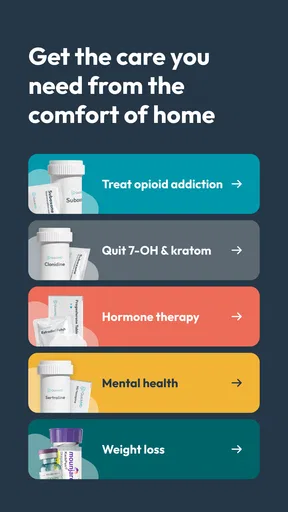
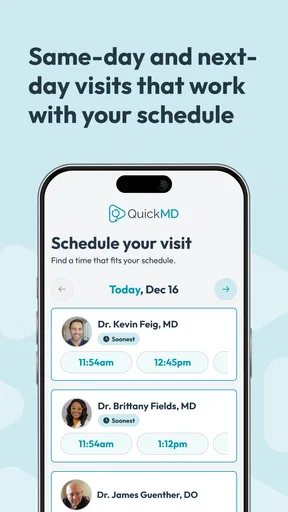
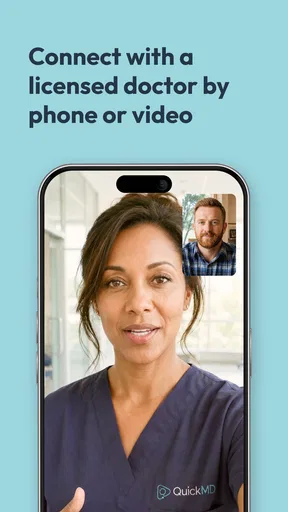
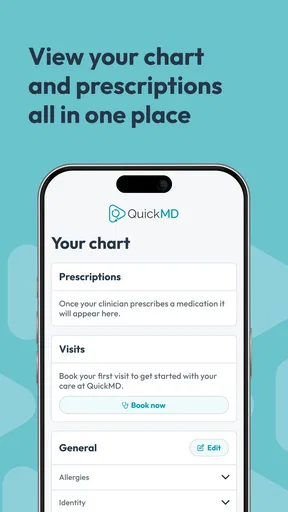
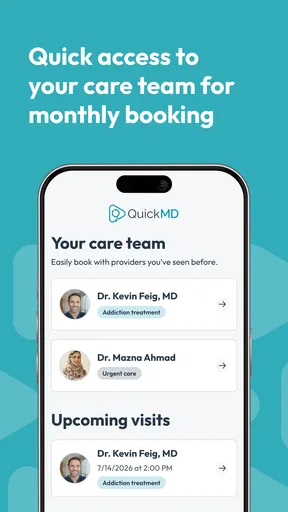

 Analysis by AppCompare
When I need medical advice but do not want to spend half a day arranging an appointment, QuickMD - Online Healthcare is the kind of app I would consider first. It is a free medical app from QuickMD - A Telemedicine Urgent Care Service, built around telehealth visits available seven days a week. That focus makes its appeal easy to understand: open the app, explain what is bothering you, and seek care without turning a minor health concern into a full scheduling project.
My first impression is that this is not an app I would use for entertainment or casual health tracking. Its value appears when something is uncomfortable, inconvenient, or worrying enough to deserve professional attention, but not necessarily serious enough to justify an emergency department visit. That distinction matters. A telemedicine service can save time for routine urgent-care situations, yet it cannot replace emergency help, an in-person examination, or a clinician who already knows your complete medical history.
The app belongs to the medical category and is marked for Everyone, so its intended audience is broad. Its average rating is around 4.8 from roughly 4.5 thousand ratings, while its review count is about 1.3 thousand. Those figures suggest that many people find the experience useful, but I would still treat ratings as a starting point rather than proof that every consultation will feel equally smooth. Healthcare is personal, and the quality of a visit depends on the symptoms, the timing, and the kind of care needed.
What QuickMD feels like during the first week
The strongest first-week appeal is convenience. A traditional urgent-care visit usually involves travel, waiting-room time, and the effort of fitting an appointment into a busy day. With QuickMD, the basic idea is to move the initial conversation onto your phone. That can be especially helpful when you are at home with a mild illness, dealing with a problem that makes travel unpleasant, or trying to get guidance outside ordinary office routines.
I would approach the first visit with a little preparation rather than opening the app in a panic. Before starting, I would write down when the symptoms began, what has changed, any temperature readings I have taken, medicines already used, allergies, and relevant medical conditions. A telehealth clinician cannot examine everything through a screen, so a clear timeline becomes more important than it would be during a casual conversation in person.
A useful, less obvious habit is to keep the phone steady and use a quiet, well-lit place for the consultation. If the concern involves a visible skin change, swelling, irritation, or another symptom that can be shown on camera, good lighting may make the conversation more productive. I would also keep medication packaging nearby instead of relying on memory. Small details can prevent confusion and make the limited appointment time more useful.
QuickMD’s free price lowers the barrier to trying the service, which is important when someone is unsure whether telehealth will suit them. The app has been available since October 25, 2019, and its current version is 24.1263.232547. It supports Android 9 and later, so people using an older compatible phone may still be able to access it without replacing their device. On Android, the installation base is over one hundred thousand, giving the service a meaningful presence without making it feel like an anonymous experiment.
Worth Reading Before You Choose

EA SPORTS FC Mobile 26 Is a Bigger Football Game, but It Takes Time

Flipboard Shows What News Apps Must Do Beyond the Feed

Switching to Android Auto Means Rethinking Your Driving Routine

Google Calendar Makes a Crowded Week Easier to Manage

Ludo King Makes the Most of the Minutes Between Plans

Baby Panda World Brings Quick Play to Modern Phones, but Its Game Library Feels Busy
The first-week experience is most convincing when the problem is straightforward enough to discuss remotely. A person with a new but familiar-feeling minor illness may appreciate avoiding a waiting room. Someone who needs a professional opinion before deciding whether to seek in-person care may also find the format reassuring. The important point is that the app is a doorway to a clinical conversation, not a self-diagnosis machine.
A realistic everyday use case
Imagine waking up on a weekend with a sore throat, congestion, and enough discomfort to make normal plans difficult. You are not struggling to breathe, confused, severely dehydrated, or experiencing another emergency warning sign, but you do want medical guidance. In that situation, the seven-day telehealth schedule is more relevant than a polished interface or a long list of secondary tools. I could use the app to explain the symptoms, answer questions, and learn whether home care, an in-person appointment, or more urgent attention makes sense.
That scenario also shows the main trade-off. A remote visit may save a trip, but it depends on communication. If the symptoms are difficult to describe, if the camera cannot show the affected area clearly, or if the clinician needs hands-on examination, the convenience ends at the screen. I would rather accept that limitation early than treat a telehealth appointment as a guarantee that I will not need physical care afterward.
Why the value can continue after the novelty fades
The lasting value of QuickMD is not that it is new or especially exciting. It is that medical needs recur unpredictably. A telehealth app can earn a permanent place on a phone when it becomes a familiar option for deciding what to do next, particularly outside a person’s normal primary-care schedule. The promise of visits seven days a week supports that role because health problems do not always appear on convenient weekdays.
For month-to-month use, I would think of the app as part of a wider care routine rather than a replacement for everything else. My primary-care clinician would remain the better choice for ongoing conditions, preventive care, physical examinations, and decisions that depend on a detailed medical history. QuickMD makes more sense as an additional route for urgent but non-emergency questions when speed and access matter.
One practical workflow is to use each consultation as a prompt to organize follow-up. After a visit, I would note the advice I received, any recommended next step, and the point at which I should seek in-person care. That personal record is useful because telehealth can otherwise feel like a one-off conversation. The app may help you reach care, but you still have to carry the plan forward responsibly.
Another valuable trade-off involves convenience versus continuity. A familiar primary-care office may understand your history better, while a telehealth service may be easier to reach when that office is closed or fully booked. I would choose QuickMD when access is the immediate problem, but I would avoid using it repeatedly for the same unresolved issue without arranging appropriate follow-up. Convenience is helpful only when it leads to the right level of care.
The broad age rating makes the app approachable for households, yet that should not be confused with universal suitability for every medical situation. Parents or caregivers need to provide careful, accurate information and should not assume that a remote consultation is enough for a child who appears seriously ill. The same caution applies to older adults, people with complex conditions, and anyone whose symptoms are changing quickly.
Questions I would answer before relying on it
Can it replace an emergency service? No app should be treated that way. If there is a life-threatening symptom, severe breathing difficulty, major injury, sudden neurological change, or another emergency, I would seek immediate emergency assistance instead of waiting for a telehealth visit. QuickMD is better understood as an urgent-care access option for situations that can reasonably begin with a remote conversation.
Is it better than a normal clinic? Not in every case. A clinic wins when examination, testing, procedures, continuity, or a complete physical assessment is important. QuickMD wins when the main obstacle is getting timely guidance without travel and waiting. The right choice depends less on loyalty to one format and more on matching the format to the problem.
Will one visit solve everything? Sometimes a remote consultation may be enough to clarify the next step, but I would not assume that every concern can be closed in one session. If symptoms persist, worsen, or do not fit the initial explanation, I would follow up with an in-person professional or my regular clinician rather than repeatedly seeking quick reassurance.
Is the app useful for someone who dislikes phone-based care? Probably less so. Even if the process is simple, telehealth still requires explaining symptoms, responding to questions, and being comfortable receiving guidance remotely. People who strongly prefer face-to-face communication may find a local clinic more satisfying, especially when the concern is difficult to describe.
The maintenance burden is low, but the responsibility is not
QuickMD does not demand the kind of daily maintenance associated with fitness trackers, symptom journals, or medication reminder apps. I would not install it expecting a habit-forming dashboard. Its maintenance burden is mainly practical: keep the app updated, make sure the phone can support it, and keep basic health information accessible when a consultation becomes necessary.
That low-maintenance quality is one of its strongest long-term advantages. Many medical apps lose their usefulness because they ask people to record something every day. This one is more event-driven. I can ignore it when I am well and still appreciate having a telehealth option available when a problem appears. That makes it easier to keep installed without feeling guilty about not opening it constantly.
There is, however, a difference between low maintenance and no preparation. I would keep a current list of medications, allergies, major diagnoses, and relevant contact information somewhere easy to reach. I would also check that my device has a working camera and microphone before an appointment, rather than discovering a technical problem while feeling unwell. These steps are not glamorous, but they reduce friction at the moment the service matters.
The app’s free access also changes how I would think about keeping it available. There is no purchase decision involved in maintaining a backup option on the phone, which makes it easier to justify for occasional use. Still, I would not let the absence of a price encourage unnecessary consultations. Medical advice should be sought because it is appropriate, not because opening the app feels effortless.
Privacy and personal comfort are part of the maintenance decision too. Any telehealth service involves sharing sensitive health information through a digital experience, so I would use a private room, avoid public Wi-Fi when possible, and read the app’s current privacy and care details before relying on it. Those are sensible precautions for a medical app, especially when a phone is shared with family members.
Where fatigue and frustration can appear
The first source of fatigue is repetition. If you use telehealth for several concerns, you may need to explain your history again rather than speaking with one clinician who remembers the previous visit. That can feel inefficient when the issue is ongoing. For recurring or complicated health needs, I would favor continuity with a primary-care team and use QuickMD as a supplement rather than the central record of care.
The second is the emotional effort of describing symptoms accurately. When I feel sick, I may forget dates, mix up medication names, or minimize an important change. A screen does not automatically make communication easier. The best way around this is to prepare a short symptom summary and be direct about severity, duration, and anything that makes the problem better or worse.
Technical friction is another realistic limitation. A weak connection, poor lighting, a noisy room, or an unreliable microphone can make a remote consultation more tiring than expected. I would not judge the clinical value of the service solely by a difficult call, but I would recognize that telehealth depends on conditions outside the clinician’s control. If the conversation cannot be conducted clearly, in-person care may be the more efficient option.
There is also a risk of false reassurance. An easy digital visit can make a serious concern feel less serious simply because the process is convenient. I would pay attention to the clinician’s instructions about warning signs and escalation, then act on them even if that means leaving home for a clinic or seeking emergency help. The app is useful when it improves a decision; it is harmful when it becomes an excuse to delay one.
Compared with a walk-in urgent-care center, QuickMD generally trades physical access for speed and comfort. Compared with a primary-care appointment, it trades continuity for availability. Compared with searching symptoms online, it offers the possibility of professional interaction instead of an unfiltered list of frightening possibilities. None of those comparisons produces a universal winner. The app earns its place when remote access is the advantage you need most.
My long-term verdict after the convenience wears off
I think QuickMD - Online Healthcare earns lasting space on a phone for people who want a practical telehealth option for non-emergency concerns. Its free availability, broad audience, established presence, and seven-day visit model give it a clear purpose. I especially like that it does not need daily attention to remain useful; it can sit quietly until a real situation makes quick medical access valuable.
I would recommend it to someone who often struggles to reach urgent care outside normal routines, understands the limits of remote assessment, and is willing to prepare useful information before a visit. It is also a sensible backup for people who want guidance before deciding whether an in-person appointment is necessary. The strongest benefit is not replacing every doctor’s visit. It is reducing the distance between noticing a problem and getting professional direction.
I would skip it as my main solution if I needed ongoing disease management, regular physical examinations, testing, procedures, or a clinician with deep knowledge of my history. I would also avoid relying on it for emergencies or symptoms that clearly require hands-on assessment. In those cases, a local clinic, established primary-care provider, or emergency service is the better choice.
My final judgment is positive but measured: QuickMD is most valuable as a dependable access point, not as a complete healthcare system in your pocket. Once the novelty disappears, that is enough. A medical app does not need to be opened every day to justify its presence. If it helps me make a safer, faster decision on an inconvenient day while reminding me when remote care is not enough, it has earned a useful place in my routine.
Pros
- Connects users with licensed clinicians through a convenient mobile interface.
- Offers online consultations without requiring a traditional clinic visit.
- May provide prescription services when medically appropriate and available.
- Useful for non-emergency health concerns and common conditions.
- Can save travel time for users with limited access to local providers.
Cons
- Not suitable for emergencies
- severe symptoms
- or conditions needing physical examination.
- Prescription availability and treatment options vary by state and medical situation.
- Consultation fees may not be covered by every insurance plan.
- Video visits depend on a reliable internet connection and compatible device.
- Follow-up care may still require an in-person appointment or local provider.
FAQs for QuickMD - Online Healthcare
What is QuickMD - Online Healthcare, and how does it work?
QuickMD is a telehealth service that lets you connect with licensed healthcare professionals through your phone or another supported device. After creating an account, you provide information about your symptoms and medical history, choose an available provider, and complete a virtual consultation. Depending on the evaluation, the clinician may offer medical advice, treatment recommendations, prescriptions, or referrals for in-person care.
Can I use QuickMD for urgent medical problems or emergencies?
QuickMD may be useful for many non-emergency concerns, such as common illnesses, minor infections, allergies, or certain routine healthcare needs. However, it should not replace emergency services. If you are experiencing chest pain, severe breathing difficulty, signs of a stroke, uncontrolled bleeding, loss of consciousness, or another life-threatening condition, call your local emergency number or visit the nearest emergency department immediately.
Can QuickMD providers prescribe medication?
In some situations, a QuickMD clinician may prescribe medication after reviewing your symptoms, medical history, allergies, and other relevant information. Prescribing decisions are made by the provider and are not guaranteed simply because you schedule a consultation. Certain controlled substances, medications requiring physical examinations, or treatments restricted by local regulations may not be available through a virtual visit.
Is QuickMD available in every state and for all patients?
Availability can depend on your location, the type of service you need, provider licensing rules, and current QuickMD coverage. Healthcare professionals must generally be licensed to treat patients in the state where the patient is located during the consultation. Before downloading or paying for a visit, check the app or official website to confirm service availability, eligibility requirements, accepted insurance options, and any location-specific limitations.
How much does QuickMD cost, and is my information secure?
The cost of a QuickMD visit can vary according to the consultation type, insurance coverage, membership or promotional offers, and any additional services involved. Review the displayed price before confirming an appointment. Because the service handles sensitive health information, users should also read its privacy policy and understand how medical records, payment details, communications, and account data are collected, stored, and shared.


